
Modernizing a mission-critical annotation and feedback experience.
I translated workflow friction, customer evidence, and adoption data into a scalable in-platform proofing experience—driving a 107% increase in unique-user adoption within 30 days.
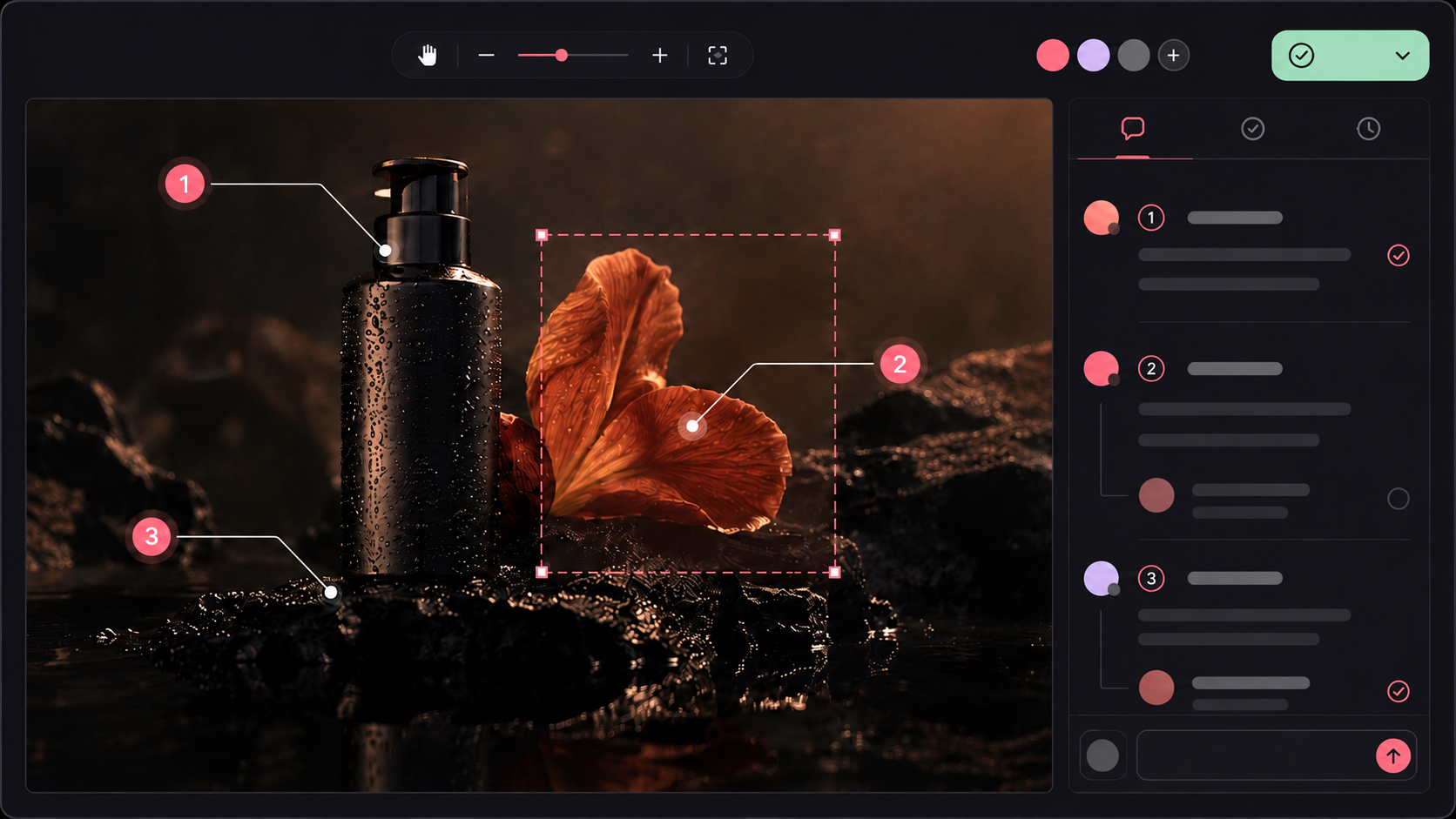
A high-use workflow with clear room to grow
Annotations supported the majority of creative reviews, but the legacy experience pushed customers into workarounds and fragmented the feedback loop.
The challenge
Legacy technology, imprecise markup, and disconnected comments made feedback harder to place and interpret.
My approach
I connected usage data, customer research, support signals, and competitive patterns to define the modernization strategy.
The result
A consistent proofing workspace across asset types that increased unique-user adoption 107% in the first 30 days.
Product thesisFeedback should happen inside the platform, not around it.
Modernize a mission-critical proofing workflow
The goal was to make feedback easier to leave, easier to understand, and consistent across the formats customers review every day.
Improve clarity, review speed, and engagement
Because annotation was already deeply embedded in the core workflow, modernization had to improve the experience without disrupting how customers completed reviews.
Legacy annotations broke the feedback loop
Customers could draw only a square around an area, then had to explain the feedback somewhere else. Context separated from the creative, and external tools became the workaround.
High usage was not translating into efficiency
I triangulated platform analytics, customer feedback, support patterns, and competitive analysis to separate feature popularity from workflow quality.
External markup added work
Designers received externally marked-up assets, adding steps and complicating version tracking.
Confusion increased support drag
Customer Success identified annotation confusion as a recurring source of back-and-forth.
Competitors set a higher bar
Modern proofing products offered richer tools and more consistent interactions across formats.
Modern canvas engine. Custom product experience.
Rather than rebuild low-level canvas behavior from scratch, the product strategy paired Fabric.js with a custom interface tailored to Design Pickle’s review workflow.
Fabric.js
A mature canvas library provided dependable drag, resize, rotate, and edit-in-place behavior.
Custom product UI
A simplified toolbar and unified interaction model made the experience feel native to the platform.
One scalable review system
Predictable behavior across static, video, presentation, and multi-page assets—with a foundation for future enhancements.
Clear tools, visible states, faster feedback
The rebuilt toolbar made actions easier to identify, select, and reuse while maintaining a consistent visual language.
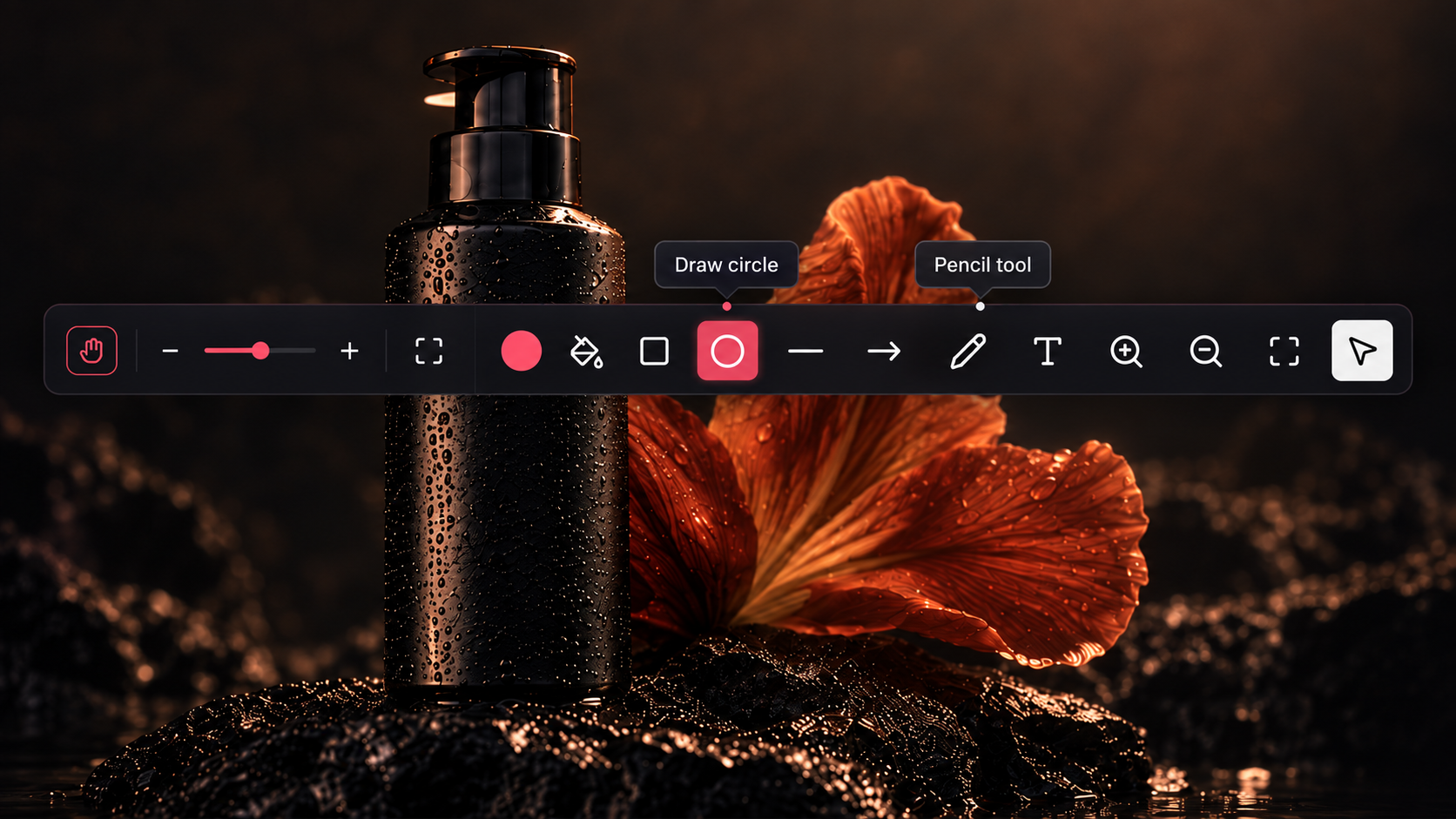
Tool selection → markup → comments
The experience keeps the action, location, and conversation together so customers can communicate intent without rebuilding context.
Select a tool
Choose clear markup options that match modern proofing expectations.
Mark up the asset
Place feedback directly on the creative with more precise controls.
Add comments
Keep notes, threads, and visual context connected inside the platform.
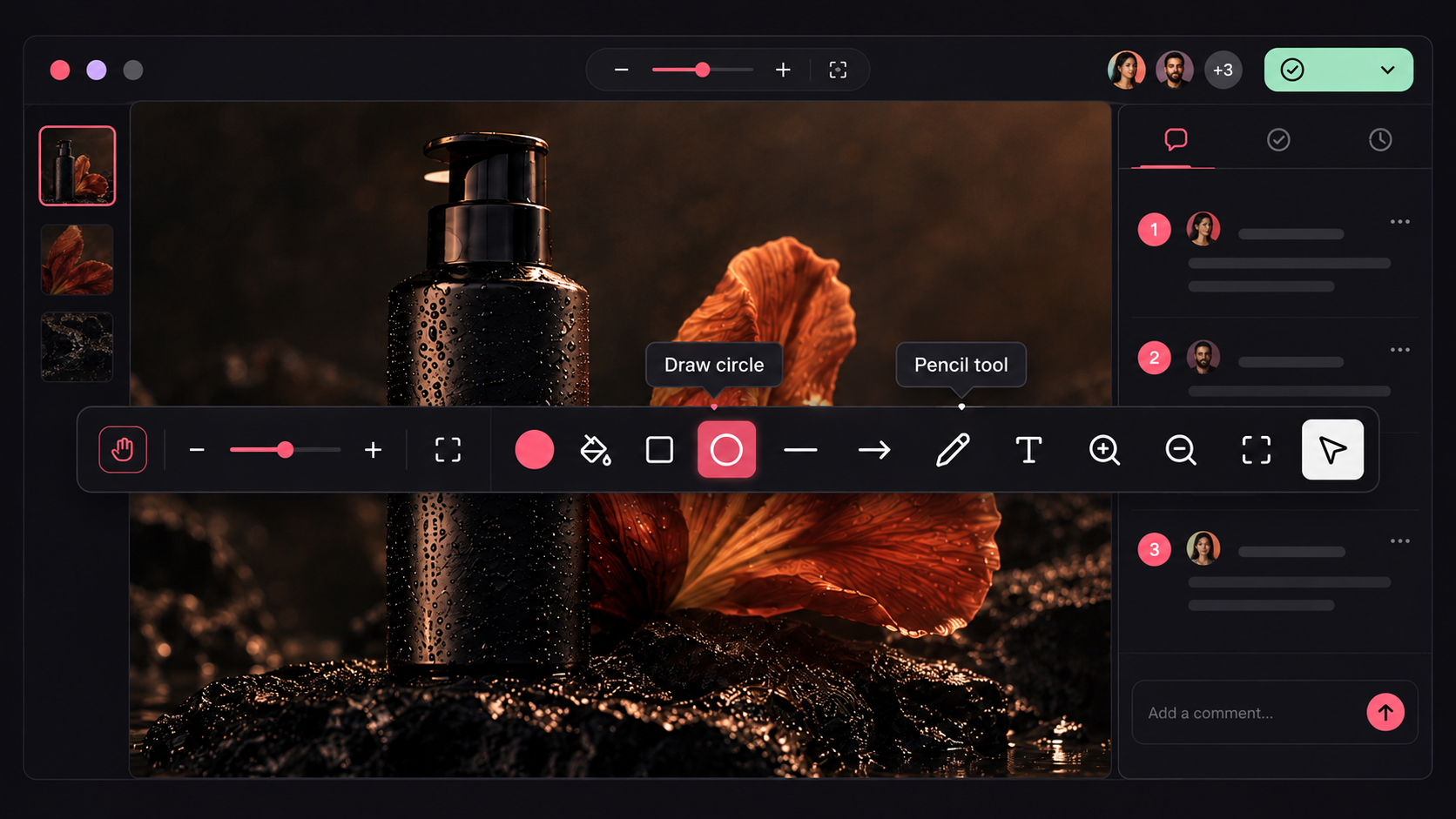
A complete in-platform proofing workspace
Visual markup, comment threads, navigation, and asset context come together in one connected experience.
From evidence to a measurable platform decision
The work connected discovery, technical strategy, experience requirements, validation, launch planning, and post-launch measurement.
Frame the opportunity
Used high adoption and recurring friction to establish modernization as a platform priority.
Define the product model
Balanced proven canvas infrastructure with a differentiated customer-facing experience.
Align requirements
Created a consistent interaction model across asset types, tools, comments, and states.
Validate iteratively
Used concept and UI validation to refine clarity before broad release.
Plan the rollout
Connected launch strategy to adoption monitoring and customer feedback.
Measure behavior
Tracked clicks, visitors, accounts, and account adoption to evaluate value after launch.
Modernization increased every major usage metric
Within 30 days, the rebuilt experience increased feature activity, unique reach, engaged accounts, and adoption across the customer base.
The redesign strengthened engagement and interaction quality while creating a scalable foundation for the platform’s future proofing capabilities.